
Insert a New Item
This feature can be used to insert a new, empty item without any associated geometry into an existing scene. This feature is often used when users want to organize a collection of existing items in the scene underneath a single parent item. Insertions into the scene tree are saved automatically and all users viewing the scene will see the updated scene tree.
- Open a model in Publishing mode.
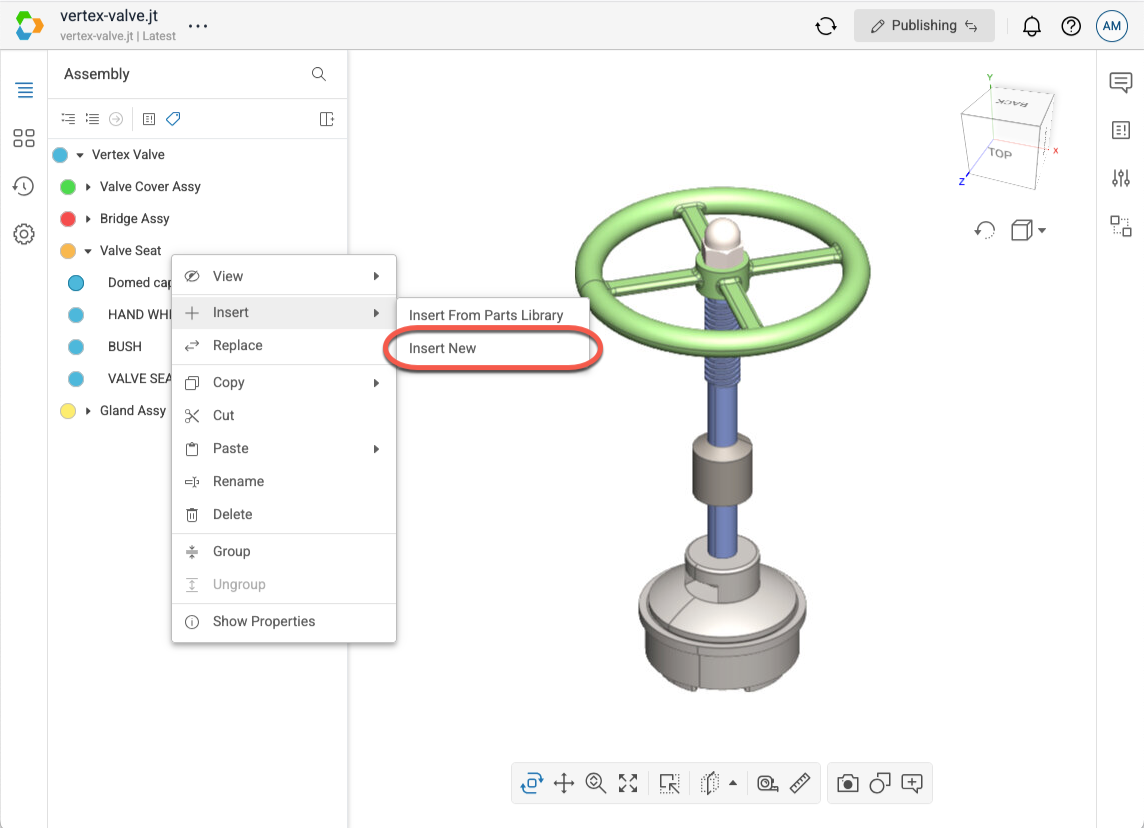
- In the scene tree, right-click on the item you want to become the parent of the newly inserted item to open the context menu.
- Select Insert > Insert New in the menu.
- Note that if you do not have the Publish context menu enabled in your User Settings, then the Insert menu option will be located in the Modify fly-out menu.
- Enter the name of the new item into the textbox in the dialog.
- Select Insert to insert the new item into the scene.