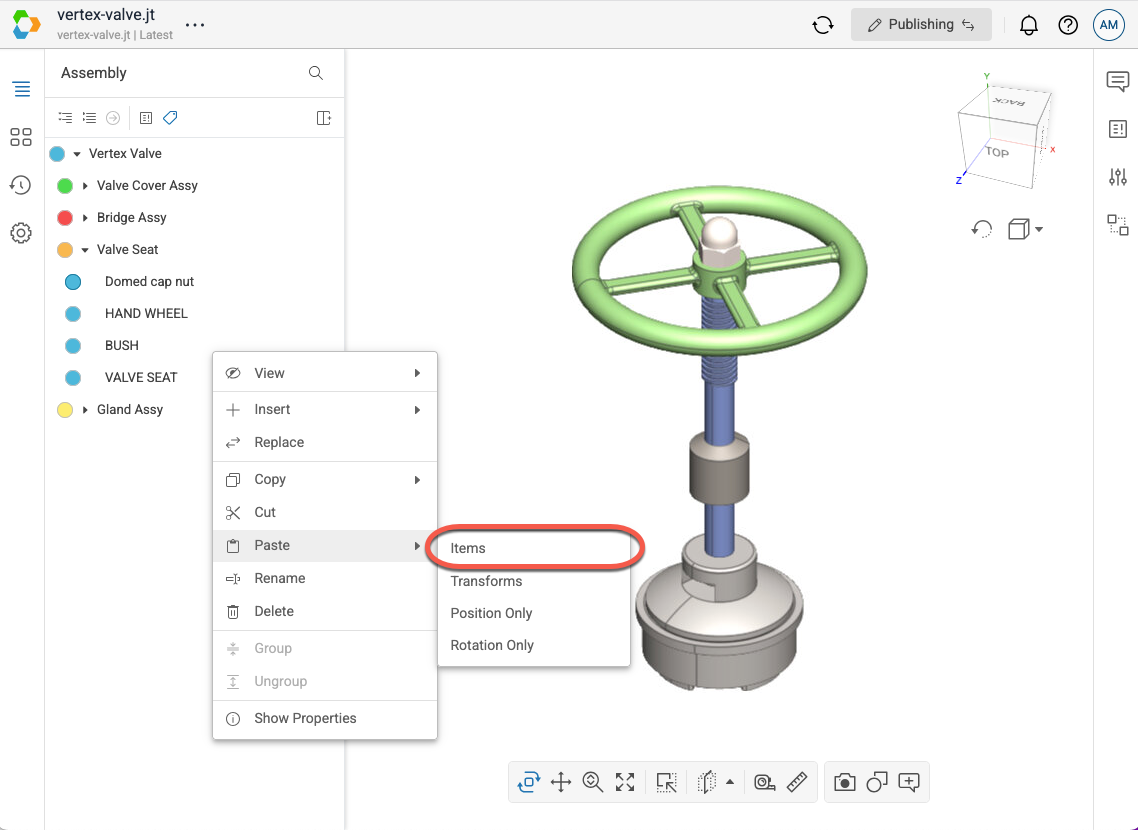
This feature can be used to create a new instance of an existing item in the scene. Items pasted into the scene tree are saved automatically and all users viewing the scene will see the updated scene tree.
- Open a model in Publishing mode.
- In the scene tree, right-click on the item you want to copy to open the context menu.
- Select Copy > Item in the menu.
- Note that if you do not have the Publish context menu enabled in your User Settings, then the Copy menu option will be located in the Modify fly-out menu.
- In the scene tree, right-click on the item you want to paste onto in order to open the context menu. The item you right-click on will become the parent of the pasted item.
- Select Paste > Items in the menu.
- Note that if you do not have the Publish context menu enabled in your User Settings, then the Paste menu option will be located in the Modify fly-out menu.
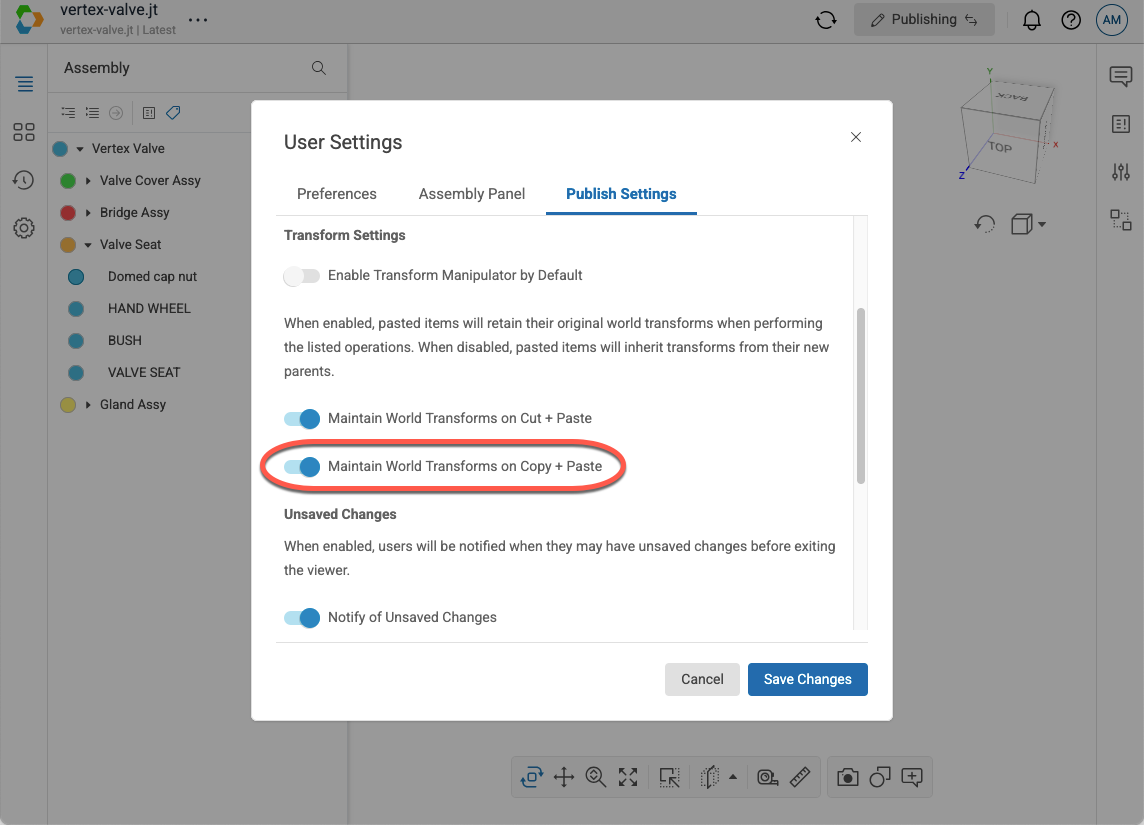
Note: You can control whether the pasted item should inherit the copied item’s transform by toggling the Maintain World Transforms on Copy + Paste setting in your User Settings.